TEKNIQ ONLINE

Model beams, columns and plates in your browser.

Developing a structure requires reviewing components, properties and dimensions together. Tekniq Modeller provides an online workspace for creating and editing beams, columns and plates. Work in 3D, adjust profiles and dimensions and use the model as the basis for views and material lists.

Open Tekniq Modeller Watch the product demonstration (Dutch)
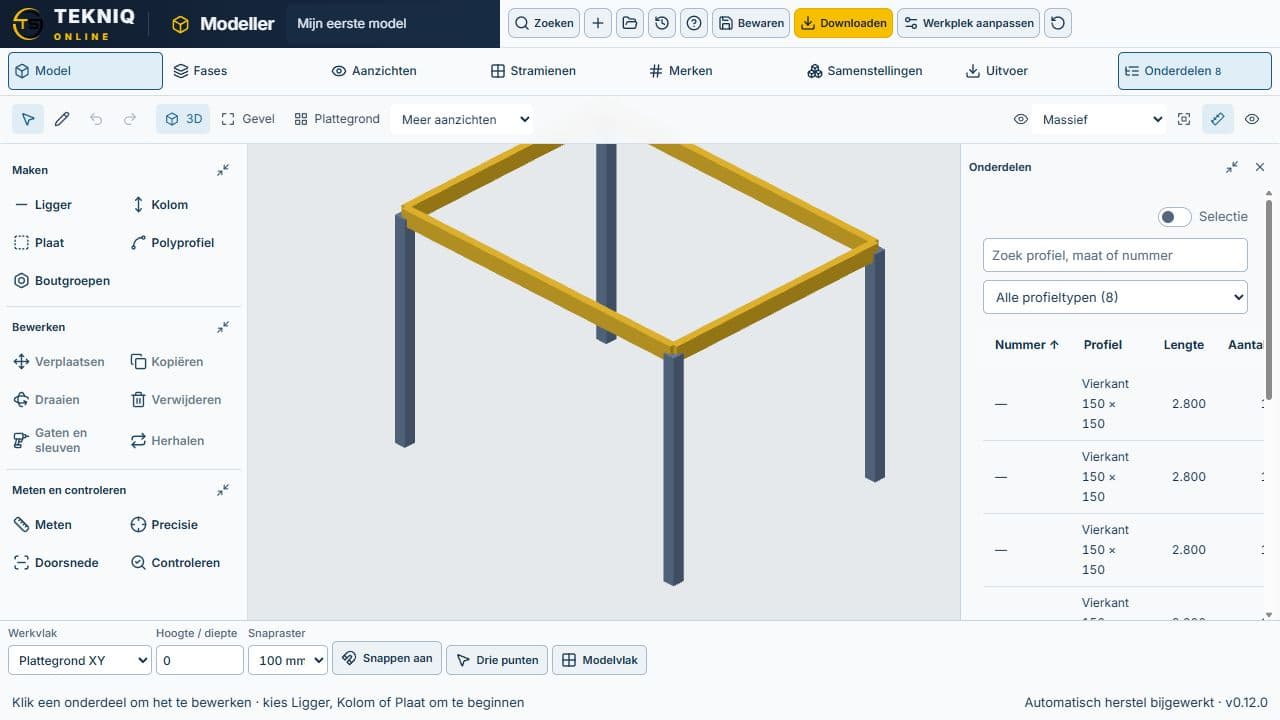
Structural model with components and dimension editing in Tekniq Modeller
TEKNIQ / SOFTWARE IN PRACTICE
01

Build a structure from components

Model the beams, columns and plates you need and inspect their relative positions in the 3D view. The component list helps you navigate the model. The workspace supports developing and discussing geometry; the selected components do not in themselves constitute a structural calculation or load-capacity assessment.

02

Adjust profiles and dimensions directly

Select a component and edit its properties. Profile choices and direct dimension editing make changes visible in the same model, helping you discuss a variant while retaining the relationships between components. The help film demonstrates these controls using a sample frame, the component list and dimension editing.

03

Views and material lists from the same model

Use the model to create views and material lists, making components and their assembly easier to communicate to a colleague or production engineer. Drawing is an adjacent workspace for more extensive drawing sheets; the appropriate file workflow is established separately. Your own product rules or a transition to Tekla and production may call for focused custom development.

PRACTICAL QUESTIONS

Before we get started.

Can I model in 3D without a desktop installation?

The Modeller workspace runs in the browser. Open the software or watch the help film first to explore the available modelling and editing capabilities.

Does Modeller replace Tekla Structures?

Modeller is a focused online workspace for components and models. Tekla Structures and custom Tekniq software have their own roles in project-specific engineering, detailing and production. We assess which workflow suits your model and required outputs.

YOUR NEXT STEP

Let’s make it work.

Tell Tim about your product, your current workflow and the output you need. Together we can define a practical next step.

Tell us about your idea.

Send Tim a message, right here.

We use your details to respond to your enquiry. No newsletter subscription.