CONNECTED ENGINEERING

Your complete digital prefab workflow. One development partner.

A configurator, engineering, drawings and manufacturing data do not have to be separate software projects. Tekniq develops the parts and their connections, with one point of contact for your digital prefab workflow. From product choice and BIM model to the factory-floor handover, we start with your product rules and develop the complete route, or first the step with the greatest immediate value.

Discuss your process
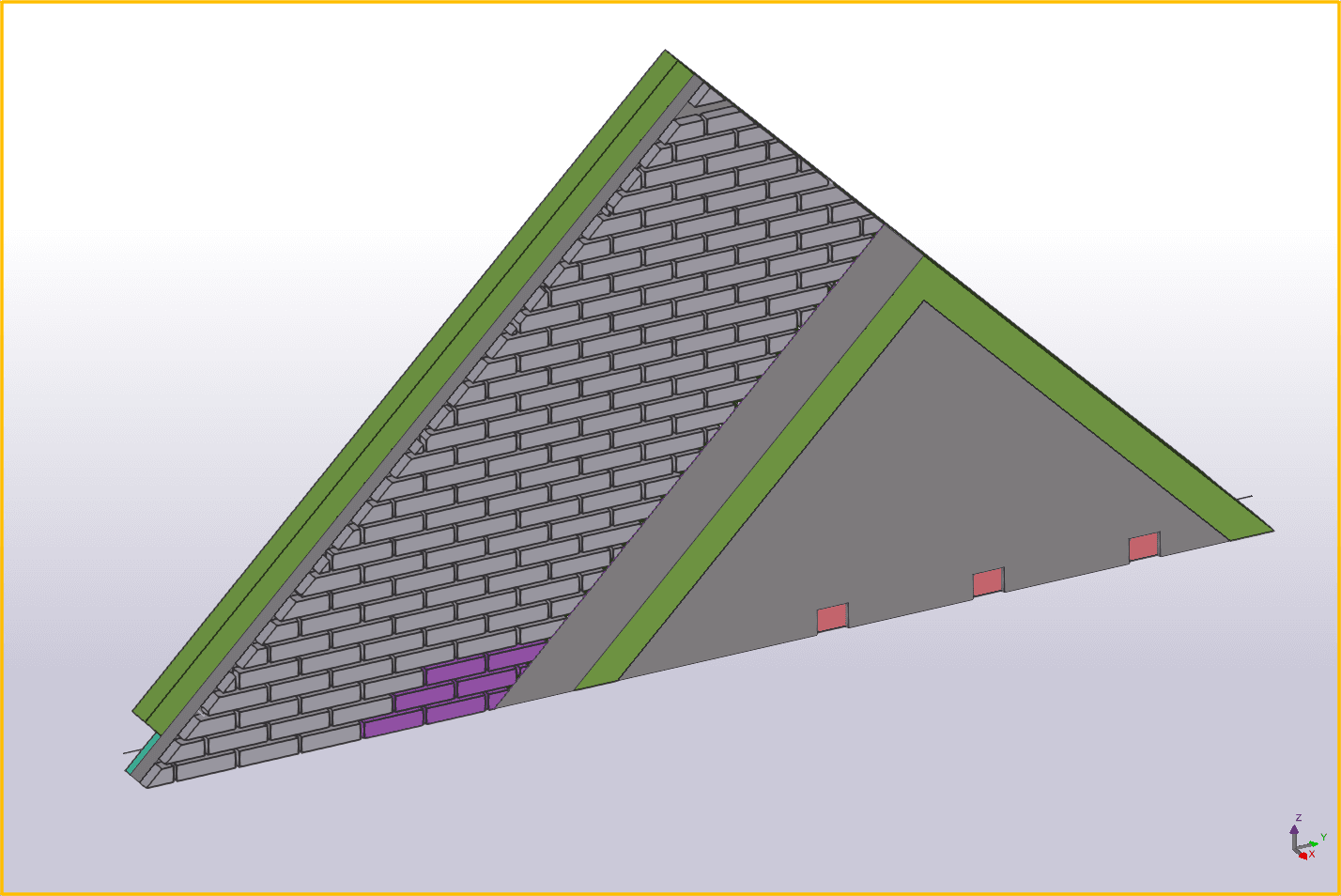
Prefab concrete sandwich panels in a Tekla model
TEKNIQ / SOFTWARE IN PRACTICE
01

One point of contact for the complete workflow

We consider how a product choice affects geometry, reinforcement, drawings and manufacturing outputs. The steps are designed together, and changes can be discussed across tool boundaries. If you already use software, an ERP system or machinery, we account for their interfaces and file conventions. One development partner means we take responsibility for connecting the workflow; your existing systems can retain their roles.

02

Capture product knowledge in a configurator

Configure-to-order selects variants within agreed product rules. Engineering-to-order also requires project-specific design work. Together we establish that boundary: which dimensions can vary, which components follow automatically and when is engineering review needed? A 3D configurator visualises choices; custom Tekla software applies the agreed modelling rules. Automation starts with a concrete task rather than replacing your entire workflow.

03

Software for timber, precast concrete and façades

Timber supports timber frame walls with openings and sheeting. Masonry helps inspect brick bonds and schedules; Window focuses on window and door frames. Rebar displays beam cages with longitudinal bars and stirrups. Drawing, Modeller and PXML add drawing sheets, model editing and reinforcement data inspection. Explore the workspaces and help films to identify a fit for your process. Our existing Tekla applications also cover sandwich panels, steel frames and balconies.

04

From BIM to the factory floor: define the handover

For the transition from Tekla to production, we define the drawings, component data and machine files required. Integrations are developed against interfaces, specifications and sample files. If you use ERP, MES or planning software, we establish which engineering data it needs. Tekniq focuses on configuration and engineering automation; financial administration and factory-wide scheduling are not standard features of our online workspaces.

PRACTICAL QUESTIONS

Before we get started.

Where do you start with prefab automation?

Bring one product variant, a sample model and the required drawing or output. Together we identify a repetitive step that requires substantial manual work, then define product rules, exceptions and verification cases for an initial working application.

Can we keep using our existing Tekla software?

That is the starting point. We review your Tekla version, model settings, existing plugins and manufacturing outputs. The solution connects to agreed parts of that workflow; integrations and changes are checked using representative models.

YOUR NEXT STEP

Let’s make it work.

Tell Tim about your product, your current workflow and the output you need. Together we can define a practical next step.

Tell us about your idea.

Send Tim a message, right here.

We use your details to respond to your enquiry. No newsletter subscription.